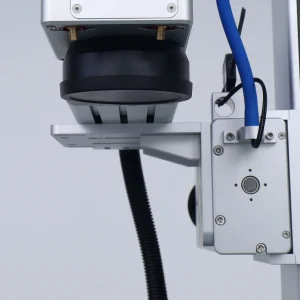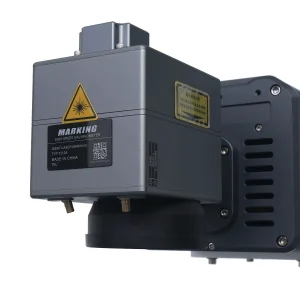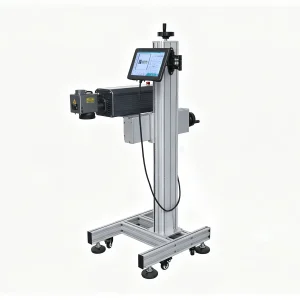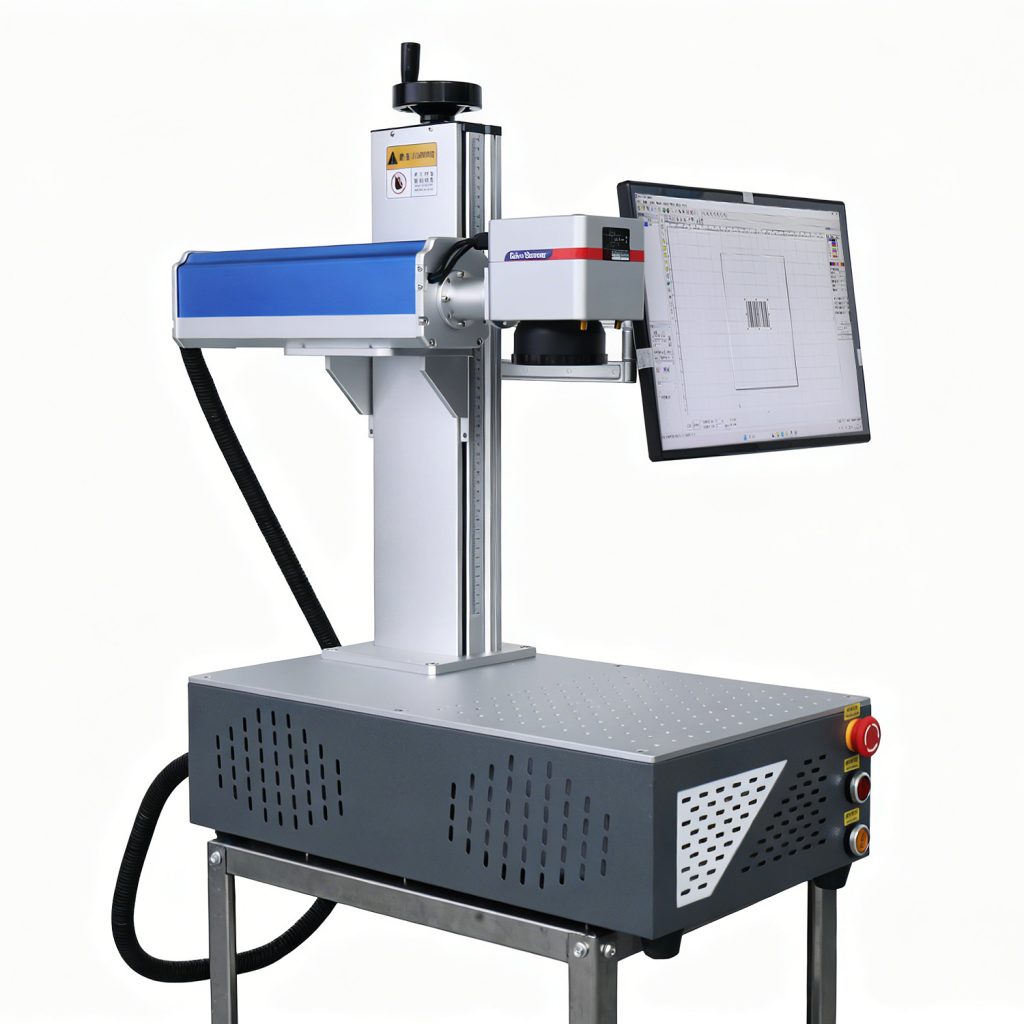
Investing in a fiber laser marking machine for small business is one of the smartest moves an entrepreneur can make. However, you need the right wattage and a clear view of your local market. If you are a startup founder, hobbyist, or retail shop owner, your main concerns are cost, ease of use, and speed to profit.
Bringing permanent laser marking in-house removes outsourcing delays and lowers per-part costs. As a result, you keep higher margins on personalized goods. For example, you can sell on Etsy, supply local factories, or offer custom gifts at markets. So one desktop fiber marker opens many revenue streams. Below, we explain how to buy, run, and profit from one.
First, watch two real fiber laser results. Then, you will see why the marks look so clean and permanent.
Understanding the Cost and ROI of a Fiber Laser Marking Machine for Small Business
Upfront equipment cost is the main factor when you evaluate a fiber laser marking machine for small business. Standard fiber markers run on normal 110V/220V outlets. They also fit on a standard workbench. Therefore, the barrier to entry stays low. Meanwhile, bulky industrial beds need 3-phase power and heavy floor space. Beyond the machine price, add the column stand and lens. Your ongoing overhead remains very low.
Fiber laser sources often last over 100,000 hours. They need no optical realignment or consumable gases. As a result, running costs are mostly electricity and the items you engrave. In short, the machine can pay for itself quickly. Many owners recover the cost within a few months. For instance, they take local branding contracts, wedding favors, or craft-fair jobs. Browse our fiber laser marking machines page to match your budget.
- Capital Expenditure: 20W and 30W systems are very affordable. 50W and MOPA variants cost more.
- Facility Requirements: Compact footprint, a standard outlet, and a simple extraction fan.
- Consumable Expenses: Nearly zero. This keeps profit margins high.
Choosing the Right Wattage and MOPA Options
Choosing the right power depends on your jobs. Fiber lasers usually range from 20W to 100W. In fact, 30W and 50W are the most popular for small business. A lower wattage handles surface marking easily. On the other hand, higher wattage drives deeper or speeds up batches.
If your work focuses on stainless steel coloration or anodized aluminum, consider a MOPA source. MOPA lets you adjust pulse duration. As a result, it unlocks colors on stainless steel. It also gives cleaner finishes on sensitive materials. Check our material parameters guide for power-to-material matches.
| Power Level | Primary Applications | Best Suited For |
|---|---|---|
| 20W / 30W | Engraving, tumblers, jewelry, dog tags, QR codes | Entry shops and online gift sellers |
| 50W | Deep engraving, mold texturing, faster batches | Growing job shops and high-volume markers |
| 100W+ | Deep relief carving and rapid metal removal | Heavy manufacturing and specialist contractors |
Evaluating Ease of Use and Software Integration
You do not need an engineering degree to run a modern fiber marker. Most desktop systems connect to a standard Windows PC. They run design software such as EzCad. So you can import logos, text, serial numbers, and barcodes quickly.
Modern systems also include red-light pointers and autofocus. Therefore, operators position parts fast and accurately. If you hit a technical hurdle, our FAQ page and troubleshooting portal offer step-by-step help.
Material Versatility: What Can You Mark and Engrave?
Fiber lasers mark many engineering metals and some plastics. The infrared beam bonds strongly with metal. As a result, the mark resists wear, corrosion, and chemicals. This makes it ideal for compliance labels and tool tracking.
Common metals include stainless steel, aluminum, brass, copper, titanium, and anodized aluminum. For more tips, visit the DOSLASER blog.
- Stainless Steel & Titanium: Crisp black anneals, or color shifts with MOPA.
- Anodized Aluminum: Removes the oxide layer to reveal bright, clean logos.
- Brass & Copper: Handles serial numbers and decorative trims well.
Lucrative Business Niches and Applications
A fiber marker lets you pivot between many revenue streams. Instead of one product line, you can serve several industries at once. For example, you can mark tumblers, pet tags, jewelry, and nameplates. You can also add QR codes, pens, and knife blades. As Wikipedia notes, laser marking changed product identification worldwide. See the laser engraving overview.
Maintenance Requirements and Machine Reliability
Maintaining a fiber marker is simple. Unlike rotary engravers, it has no glass tubes, mirrors, or inks. In addition, fiber-optic delivery needs little care. So downtime stays low.
Routine upkeep is mostly lens cleaning. Also check the emergency stop and ventilation. This small effort keeps your shop running every day.
Frequently Asked Questions
Can a fiber laser mark stainless steel and aluminum?
Yes. Fiber lasers work directly on metals. They create permanent marks, black anneals, and clean surface removal.
What power do I need for a small business?
A 20W or 30W unit suits tumblers, jewelry, and general engraving. If you need deep carving or high volume, choose 50W.
Do I need training to use it?
No. The software is intuitive. Most beginners finish their first test mark within an hour.
What is the difference between laser marking and laser cutting?
Marking alters the surface without cutting through. Cutting slices through thick sheets with high power and assist gas.
What maintenance or consumables does a fiber laser need?
Very little. Just keep the lens clean and the airflow clear.
Ready to start your custom engraving business?
Browse our fiber laser marking machines or contact our team for a free sample test and quote.