One-Item-One-Code Traceability System
A one-item-one-code system gives every product a unique code, then checks and records it through the line. It supports anti-counterfeiting, channel management and production tracking, and integrates CIJ, laser, TIJ, vision inspection and rejection.

Print → inspect → reject → record → report
A CIJ, laser, TIJ or TTO printer applies a unique code, batch number and date to each product.
Inspect
A vision sensor checks presence, readability, OCR/OCV and code correctness at line speed.
Reject
Products that fail inspection are removed from the line, so a bad code cannot enter the supply chain.
Record
Each code is linked to the product, batch, time and operator, and stored for reporting and recall.
Report
Dashboards and exports support anti-counterfeiting checks, channel management and production analysis.
What you can mark, and how
| Material | Best fit | Typical result | Notes |
|---|---|---|---|
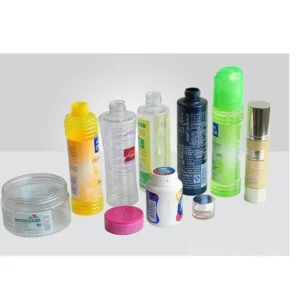
| Bottles and caps | CIJ or laser plus vision | A unique code printed and verified | Anti-counterfeiting ready |
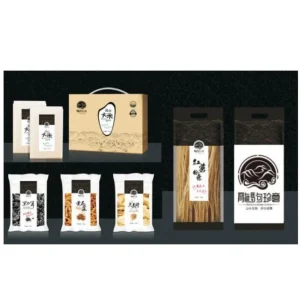
| Cartons and packs | TIJ plus traceability layer | Code recorded against the batch | ERP or MES link optional |
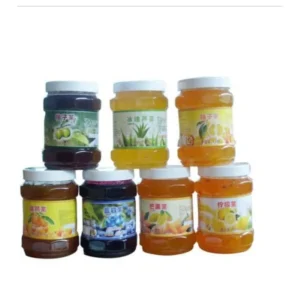
| Vials and jars | Vision plus rejection | Failed codes removed from the line | Recall-ready records |
Backed from sample to support
Common questions
What is one-item-one-code traceability?
It means every product receives a unique code that is recorded against its batch and production data. Unlike a shared batch code, it lets you identify an individual item.
Which printers can be used?
CIJ, laser, TIJ, TTO and UV inkjet printers can all be part of the system, depending on the product and code size.
Can it integrate with ERP or MES?
Yes, through a defined data interface. The exact integration depends on your ERP/MES and the data you need to exchange.
What happens when a code fails inspection?
The rejection device removes the product from the line. The failure is recorded so the cause can be investigated.
Do you provide the software?
We provide the traceability layer as part of the system, configured for your line and reporting requirements.
Related guides
Keep exploring
Code, check, record, report
First, a printer produces the code. Then a vision check confirms presence and readability. Next, a rejection device removes failures. Finally, a database stores the result against the batch, time, line and operator. Each step needs a clear owner. Therefore, define the unit before you choose the software. Also, decide who can edit a record.
Decide the traceability system report before installation
Ask what you need to query after a run. Ask who needs access, and how long you must keep the records. Then specify the database and the interface. If the system must talk to ERP or MES, define that interface early. Also plan the retention rules and the backup routine. Finally, test a recall query on a small batch. In addition, keep a backup copy off the line controller. Then a controller failure does not erase the history. In short, the record must answer a real recall question.
Connect labeling to the traceability system
If the product carries a label, the labeling machine can apply the code in one pass. If the code goes onto the pack, a printer and a camera form the core. Then the software ties both to the batch record.
A traceability system earns its cost at the recall. Send your product and the reporting requirement. We map the code, the check and the record before the order. Then request a configuration through the quote form. For supply-chain standards, see GS1 EPCIS.
Send us your product and code layout
We confirm the technology, print area and line speed, run a sample, and quote with shipping to your door.