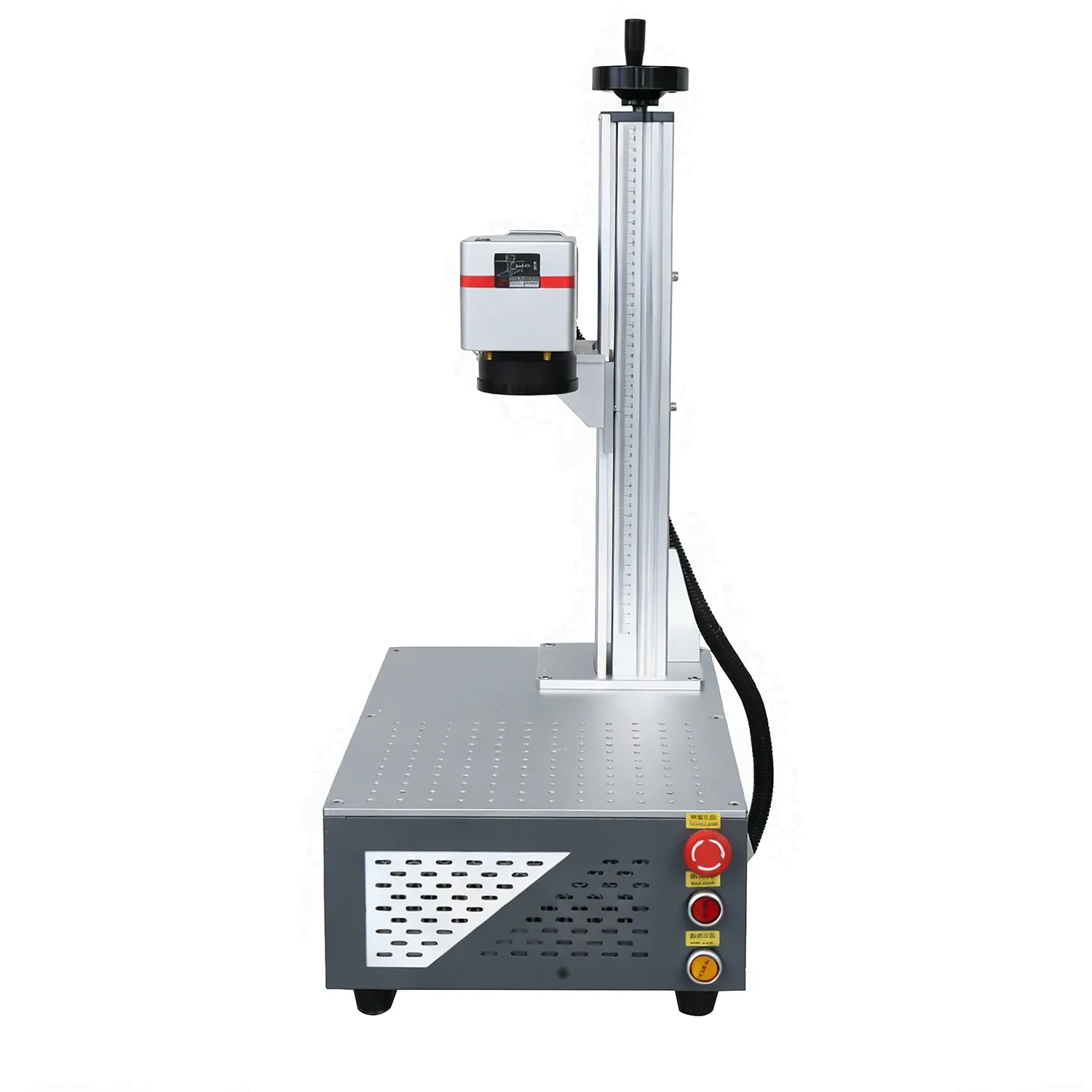
Fiber Laser Marking Machines
Permanent, high-contrast marking on stainless steel, aluminium, brass, coated metals and more. Choose the power and laser source that match your production.
Sample marking and material advice before you order. Shipping worldwide.
Best for, and what to avoid
Best for
- Permanent marking on metals
- Tools, tags, nameplates and jewelry
- Serial numbers, logos and data matrix codes
Not the best fit
- Wood and acrylic (use CO₂)
- Heat-sensitive plastics (use UV)
- Deep cutting of thick sheet
Typical production
- Desktop small-batch marking
- Inline marking on a production line
- Colour marking with a MOPA source
What this series can mark
Short clips from real marking jobs. Final contrast and cycle time depend on the material, surface finish and settings.
What you can mark, and how
| Material | Recommended source | Typical result | Notes |
|---|---|---|---|
| Stainless steel | Fiber | Deep, high-contrast mark | Air-cooled desktop or flying |
| Aluminum | Fiber | Clean, repeatable mark | Anodized needs MOPA for colour |
| Brass / copper | Fiber | Warm, precise contrast | Confirm reflectivity |
| Coated metal | Fiber | Coating removal, fine detail | Test on your exact coating |
| Anodized aluminum | Fiber (MOPA) | White or colour mark | MOPA recommended |
| Some plastics | UV | Low-heat mark | Fiber limited on plastics |
Choose a model
Select a configuration to see its specifications, or compare every model in the table below. Final configuration and price are confirmed in the quotation.
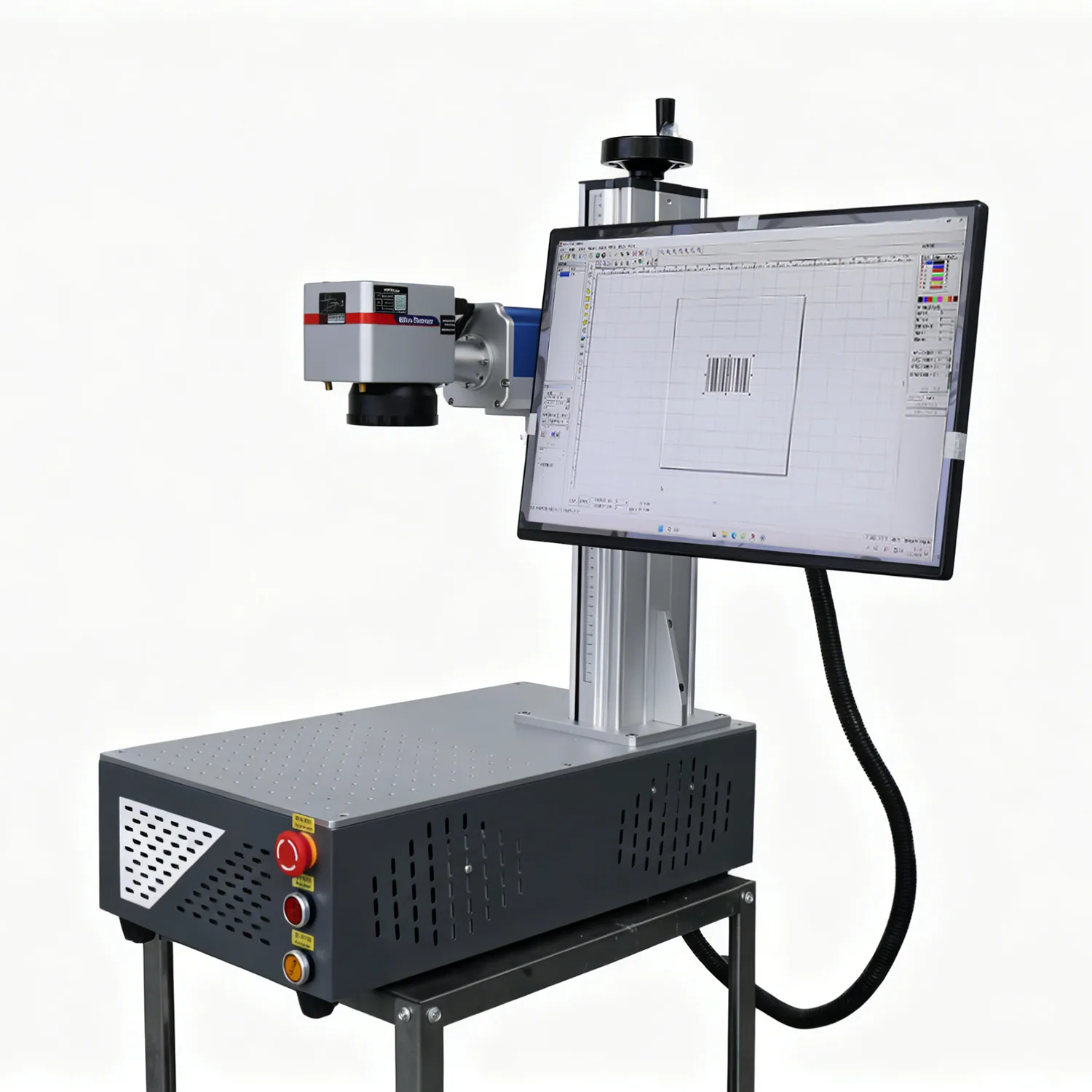
| Model | Group | Power | Laser source | Marking range | Speed | Best for |
|---|---|---|---|---|---|---|
| T-F20 | Desktop Fiber | 20W | MAX | 200 × 200 mm | ≤ 7,000 mm/s | Entry-level metal marking, tags, tools and small parts. |
| T-F30 | Desktop Fiber | 30W | MAX | 200 × 200 mm | ≤ 7,000 mm/s | General metal marking, tools, tags and small-batch production. |
| T-F50 | Desktop Fiber | 50W | MAX | 200 × 200 mm | ≤ 7,000 mm/s | Faster marking and deeper engraving on metal parts. |
| T-F30 MOPA | MOPA Fiber | 30W | JPT MOPA | 200 × 200 mm | ≤ 7,000 mm/s | Colour marking, anodised aluminium and fine surface control. |
| T-F60 MOPA | MOPA Fiber | 60W | JPT MOPA | 200 × 200 mm | ≤ 7,000 mm/s | Colour marking plus higher-speed metal production. |
| T-F100 MOPA | MOPA Fiber | 100W | JPT MOPA | 200 × 200 mm | ≤ 7,000 mm/s | High-power metal marking, deep engraving and demanding production. |
| YT-F30 | Flying Fiber | 30W | Raycus | 110 × 110 mm (options available) | ≤ 12,000 mm/s | Inline marking on moving production lines. |
| YT-F50 | Flying Fiber | 50W | Raycus | 110 × 110 mm (250 × 250 optional) | ≤ 12,000 mm/s | Higher-power inline marking at production speed. |
| YT-F100 | Flying Fiber | 100W | Raycus | 110 × 110 mm (options available) | ≤ 12,000 mm/s | High-power inline marking for industrial lines. |
Backed from sample to support
Common questions
Which metal does a fiber laser mark best?
Stainless steel, aluminum, brass and coated metals all mark cleanly. Anodized aluminum needs a MOPA source for colour marking.
Do I need a chiller?
Most desktop and flying fiber lasers are air-cooled, so no external chiller is required.
How much power do I need?
20–30 W covers most marking; add power for deeper engraving or faster production. We confirm the right power in the quotation.
Can it mark wood or plastic?
Fiber is built for metal. For wood and acrylic use CO₂; for heat-sensitive plastics use UV.
Related guides
Our fiber series moves from compact desktop models to MOPA and flying configurations. A desktop unit is ideal for workshops and small-batch work, while a MOPA source adds colour marking and finer surface control. For inline work, the flying fiber range marks parts as they move through a production line.
What a fiber laser marking machine can mark
- Stainless steel and aluminium
- Brass, silver and gold
- Coated and anodised metals
- Plastics and some engineering materials
Before you choose a model, compare power and working area against your typical part. For background on the technology, see the overview of fiber lasers. Then review the laser material settings page to understand speed and power, or visit our laser machines overview for the full range.
Choosing a fiber model and power
The range starts at a compact 20W desktop unit and moves up to 50W and MOPA configurations for deeper engraving, colour marking and higher throughput. A flying fiber series covers inline marking on a moving line. The right power depends on how deep you need to mark and how fast the line runs.
If you mainly mark names, logos and serial numbers on metal parts, a 20W or 30W unit is usually enough. Add power when you need deeper engraving or sustained production speed.
Comparing fiber power and configuration
Desktop fiber units from 20W to 50W cover most workshop marking, while MOPA sources add colour marking and finer control on anodised aluminium. For parts that move on a line, the flying fiber series marks at production speed without stopping the process. If you are unsure, send a sample and we will test it on the closest configuration and share the result before you order.
See the CO₂ laser and UV laser pages if your work also includes non-metal or heat-sensitive materials.
Send us your part and mark content
We will confirm the laser source, power and marking area, run a sample, and send a clear quotation with shipping to your door.